Tickets & Support
DispatchSee which client commitment needs attention next, even across time zones. Tickets are triaged, prioritised and assigned against a per-client SLA, with client-visible comments kept separate from internal notes.
The MSP operating platform · Made in Melbourne
Automatica brings support tickets, technician time, client onboarding and client records into one connected system, so nobody on your team is copying the same information between five different tools and hoping nothing gets missed.
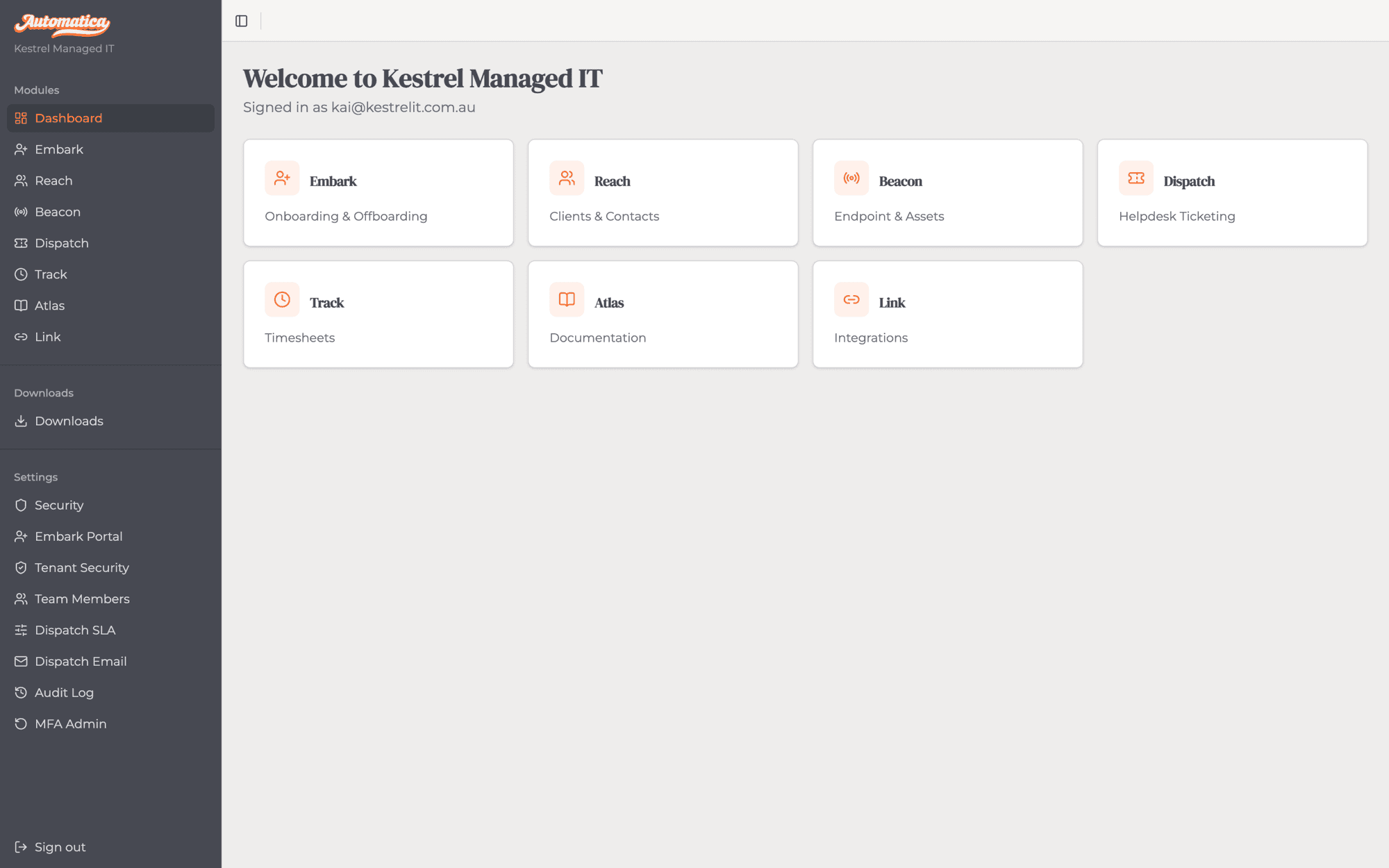
One home screen for every module — no separate logins, no switching tools.
The problem
Ticketing lives in one system. Time tracking in another. Onboarding is a spreadsheet, or nothing at all. When none of it talks to each other, someone on your team ends up holding it together by hand, retyping the same information into every system and hoping nothing gets missed. Automatica gives your team one place to manage the work, capture the evidence, and keep every client account moving.
Who it's for
If you've outgrown a spreadsheet and a free help desk tool, but a platform built for a 200-seat enterprise IT department feels like overkill, and is priced like one too, Automatica is built for exactly where you are: an independent MSP that needs real operating discipline, without the seat minimums, implementation fees or sales process that come with an enterprise PSA.
What changes
Ticket, time and client record share one source of truth, so nobody needs a status meeting to find out where something's up to.
Time is captured as a by-product of doing the job, not reconstructed from memory when it's time to invoice.
Every new starter, or offboarding client, follows the same checklist with evidence attached and nothing skipped.
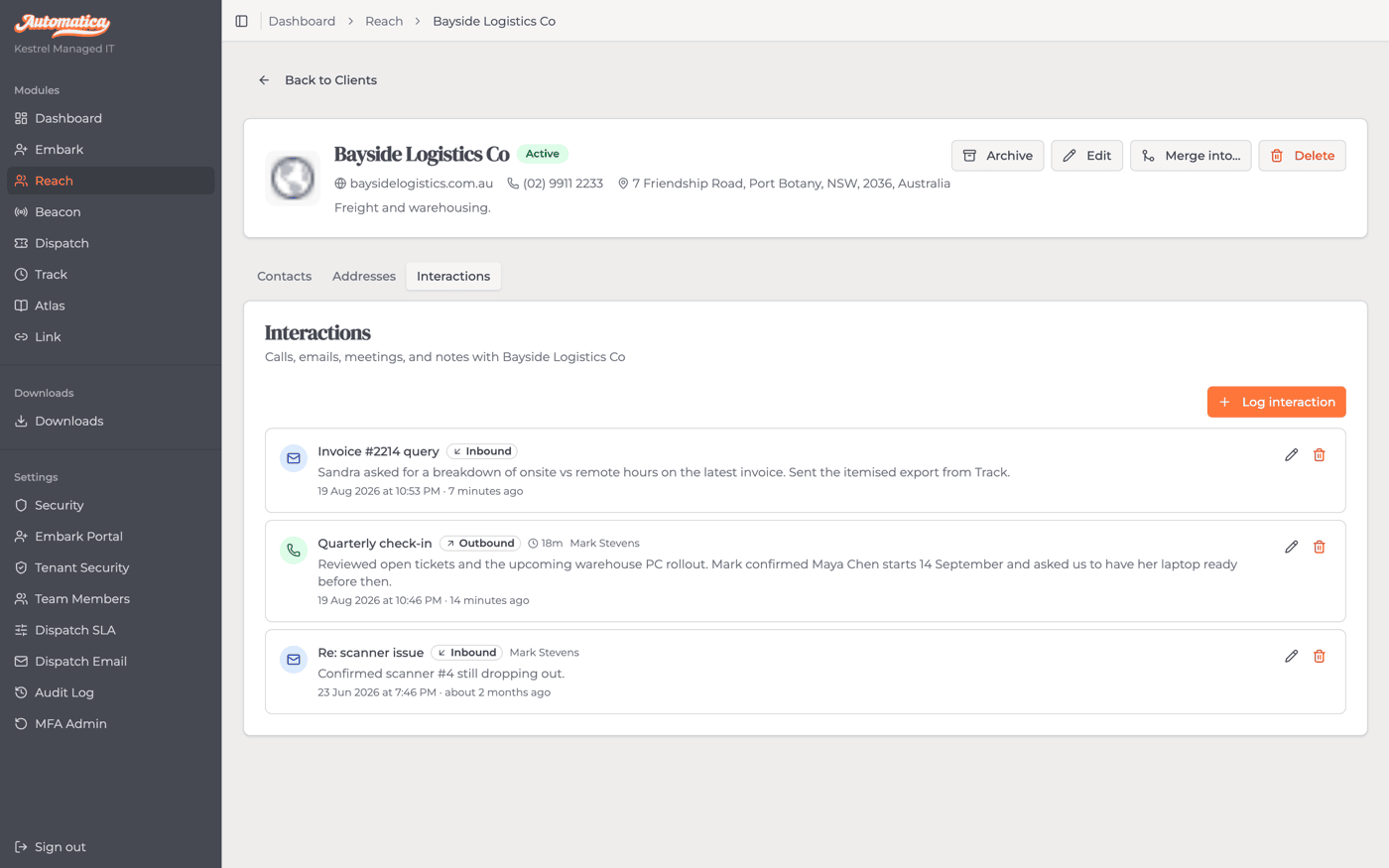
Contacts, interactions and history live in one record, so anyone on the team can pick up a job with full context.
How it works
Work enters Automatica either as a support request or a lifecycle event. Both converge in Track, the execution and evidence layer, so nothing is done without being recorded.
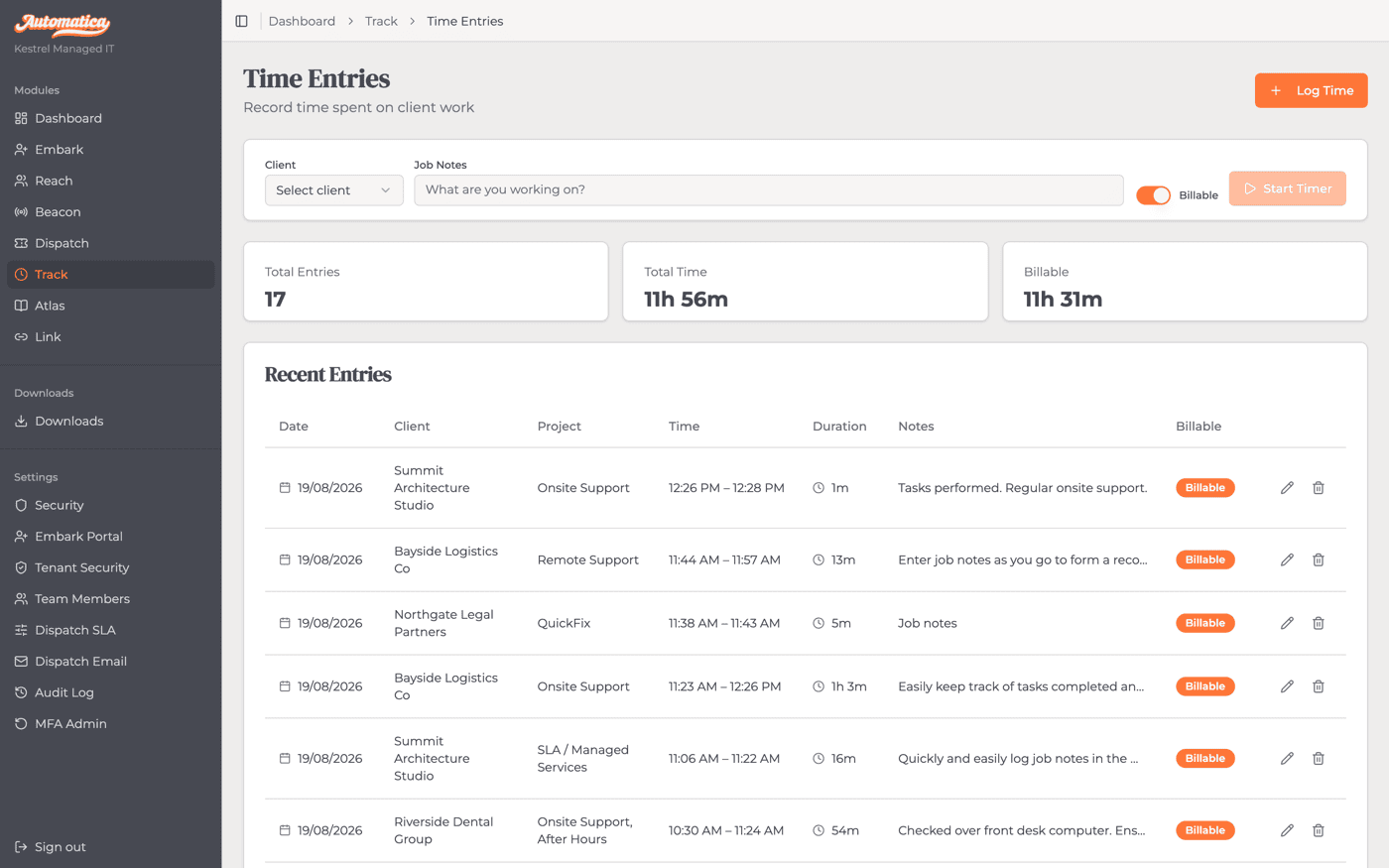
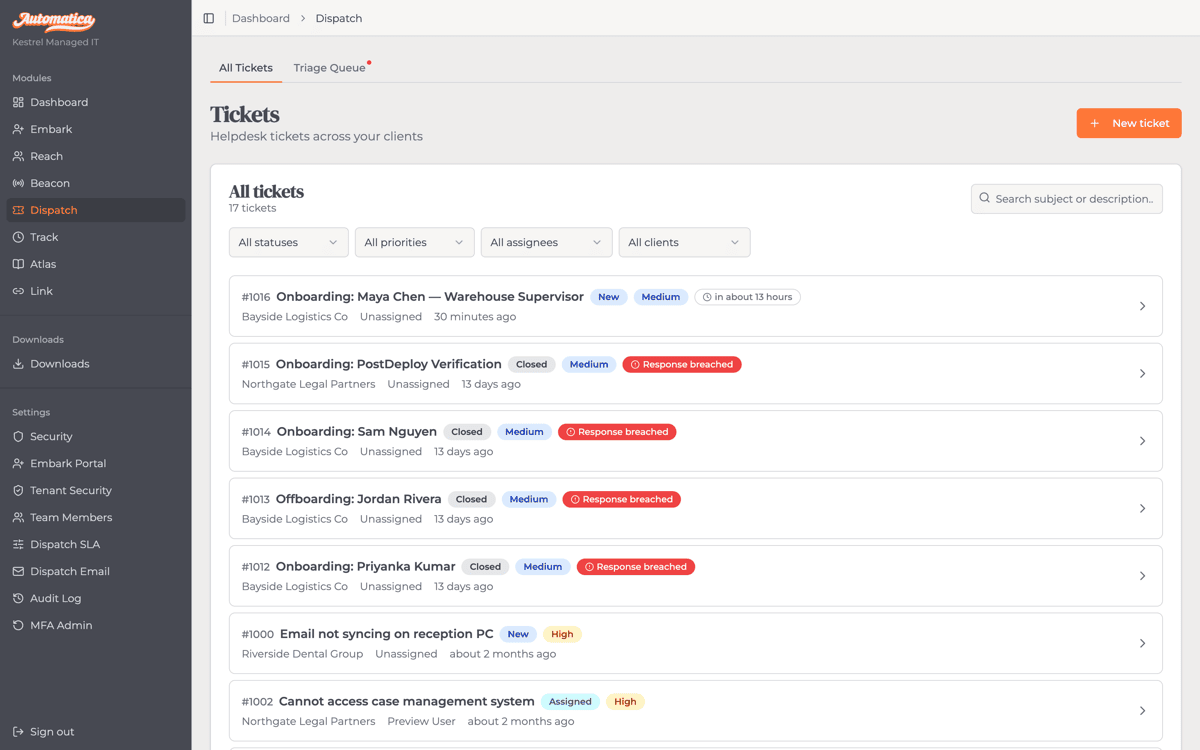
A client's request is triaged, assigned and worked without losing track of the clock. Dispatch defines what needs doing; Track records what was done, by whom, and for how long, automatically ready for billing without anyone reconstructing from memory.
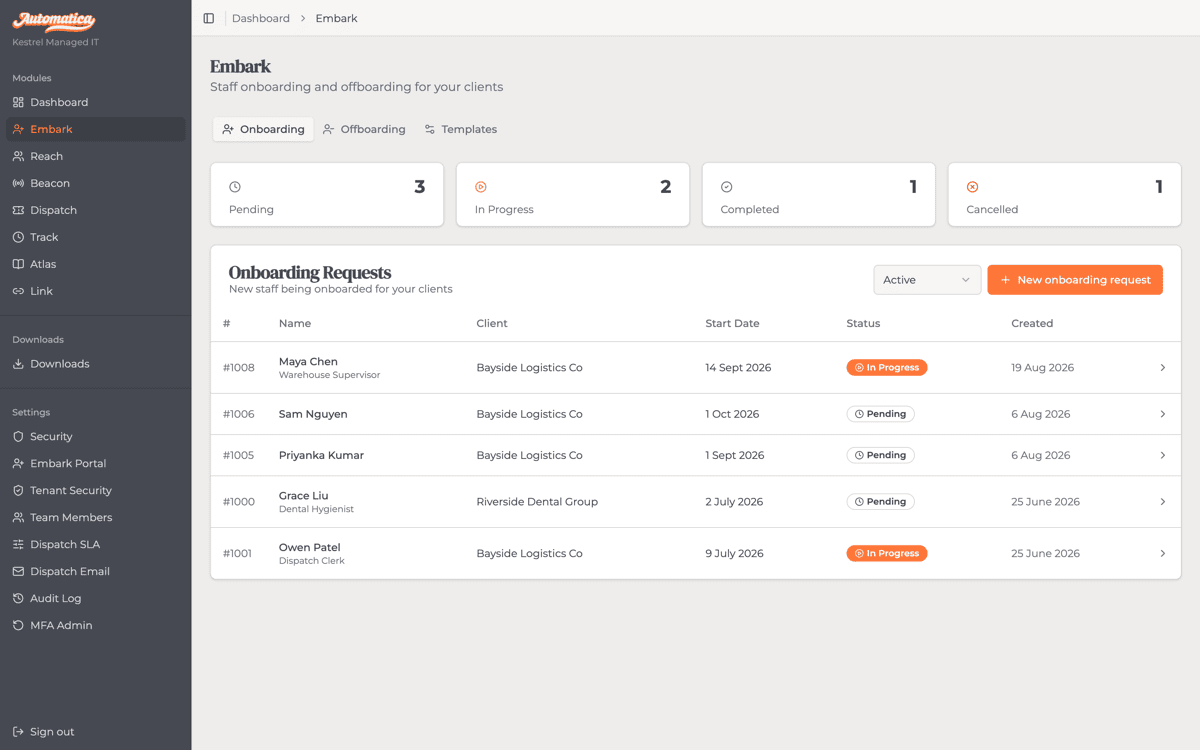
A new starter or a leaving employee follows the same checklist every time, with evidence attached at every step. Embark structures the request; Track executes it; completion projects back to Embark as a clean compliance record.
The platform
Each module owns one job in running your MSP, and does it well. Turn on what you need — every module shares the same client data, identity and security.
See which client commitment needs attention next, even across time zones. Tickets are triaged, prioritised and assigned against a per-client SLA, with client-visible comments kept separate from internal notes.
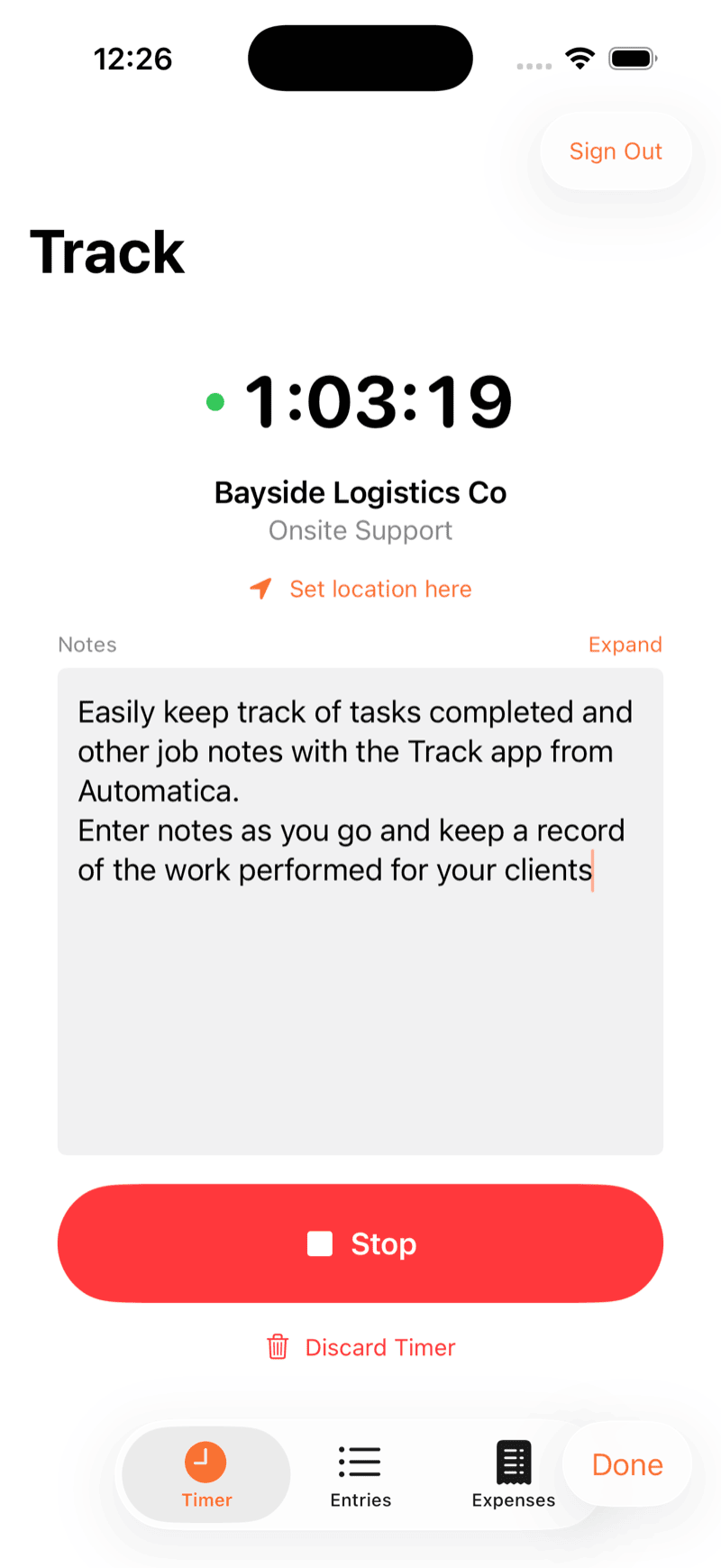
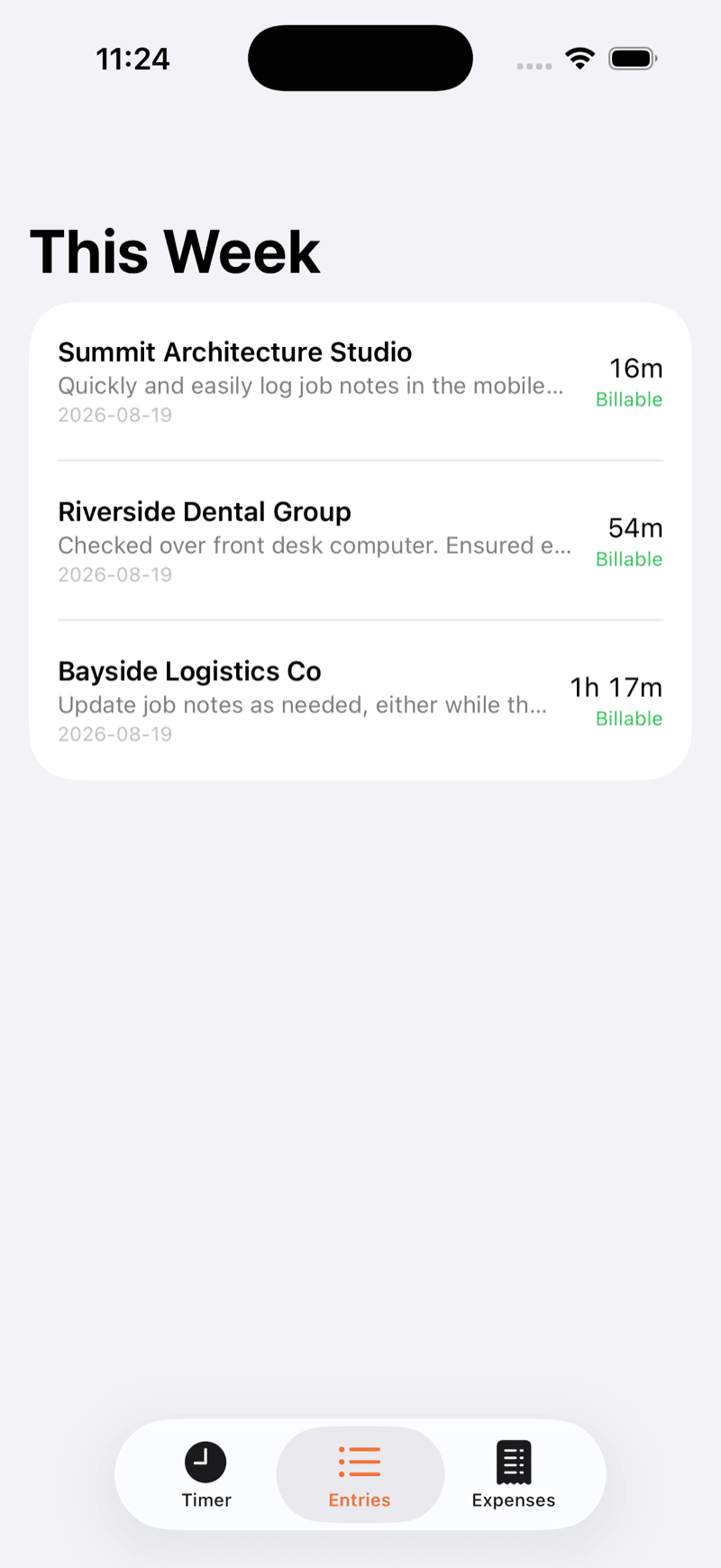
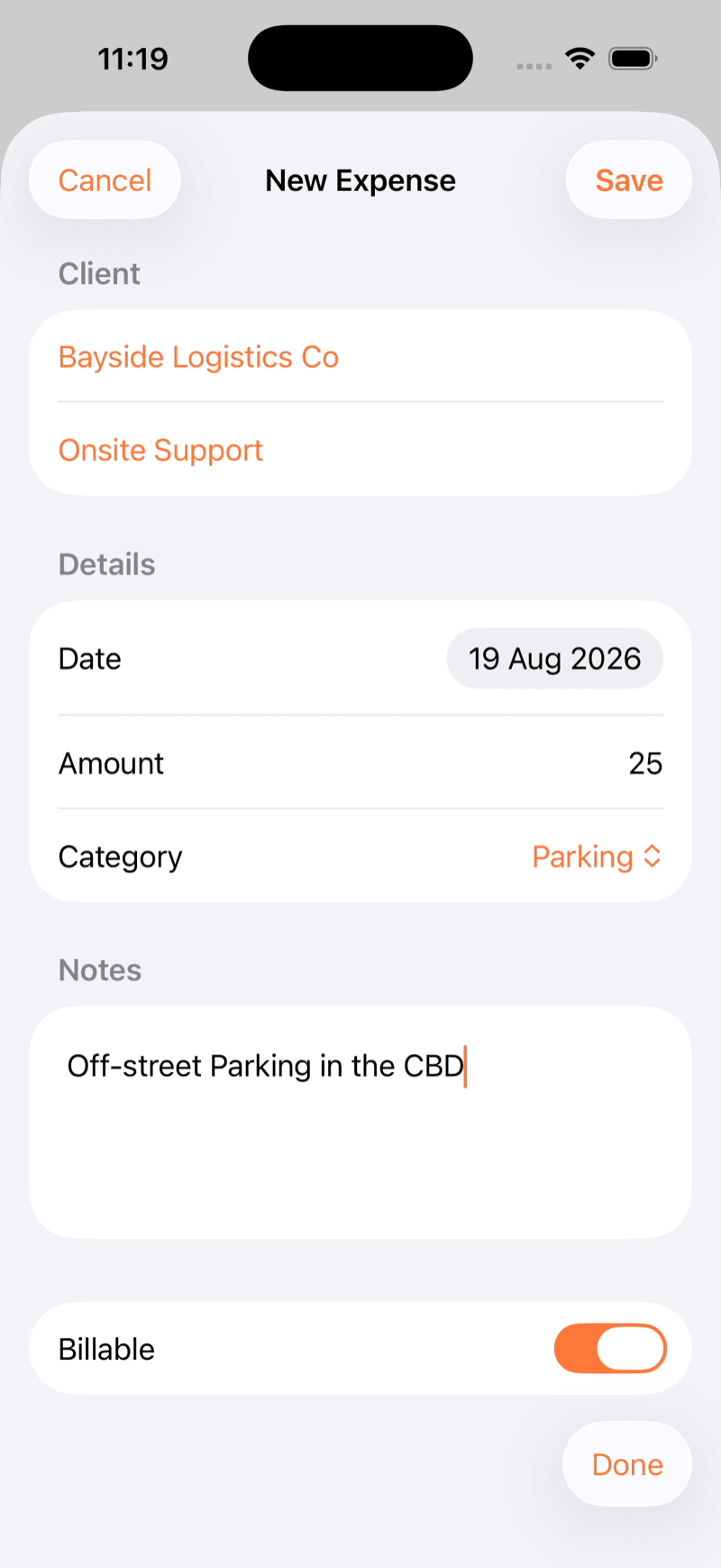
Capture the work properly so billing doesn't depend on memory at month-end. Time is billable or non-billable by default, priced per client, and ready to invoice — with native macOS and iOS apps for logging it as it happens (Windows and Android in development).
Complete every onboarding and offboarding step, with proof attached. A mandatory checklist and daily reminders mean nothing gets left half-finished, and every access change is on the record.
Know the history before you respond. Client organisations, contacts, addresses and the full log of calls, emails and meetings give every job its commercial context.
Control who can see and change information, and keep a record of what happened. Multi-factor authentication, role-based access, and your branding across every surface — the foundation every other module builds on.
Import time entries from Harvest, export to Xero, and sync contacts from vCard and CSV files. Link is your integration layer — keeping Automatica in sync with the tools your clients already use.
Each client's data is completely separate. Multi-factor authentication is enforced, re-verification is required before destructive actions, and the platform is independently tested on every release.
On the roadmap
A lightweight agent on managed devices that surfaces support tickets directly to clients and reports hardware and software inventory back to the platform.
Site documentation, runbooks, and a per-client credential vault, so institutional knowledge lives in the platform rather than in someone's inbox.
Track on the go
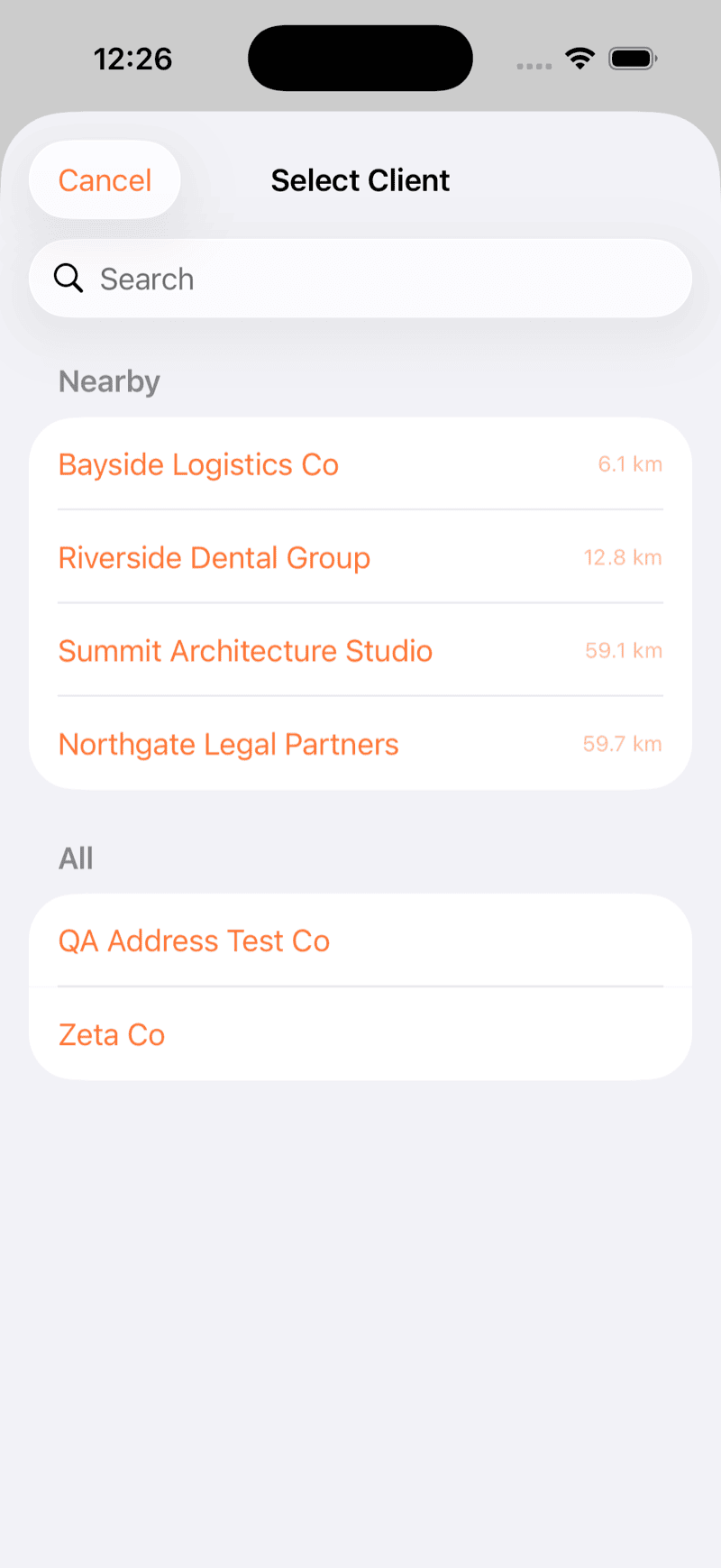
Native iOS and macOS apps for Track, so a technician working on-site logs it in the moment instead of trying to remember it back at the desk.
Where we're at
Automatica is in beta. We're onboarding a small number of Australian MSPs and will publish real testimonials and results as they come in, not before, because a generic quote doesn't tell you anything a feature list doesn't.
Why we built it
Automatica has been a working MSP since 2009. We got tired of stitching other companies' tools together, so we built the system we wished existed, and ran our own business on it before offering it to anyone else. Read the full story →
Get in touch for access or a walkthrough of the platform tailored to how your team works.